Inventory Checker
TL;DR Android tablet app built with Native Android (Kotlin). Integrates with existing inventory software to serve as a gateway on tablets as existing software only supports Windows PC and the multi-user functionality is unstable.
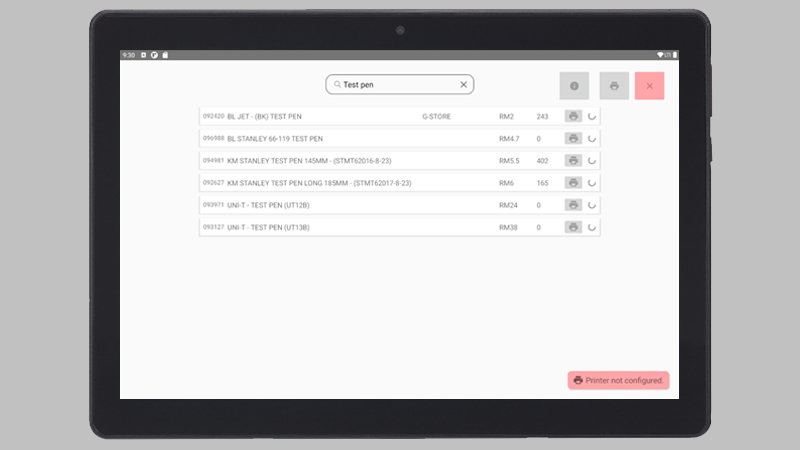
This android tablet app was built as a simple solution for a retail shop to use as an inventory checker used by internal staff. The app integrates with their existing inventory software so there is no need for migrations.
Here are some challenges faced by the company before this tablet app was used.
Lack of gateway to check inventory. The retail shop has 2 storefronts and multiple storerooms on the upper floors, with PC (where the existing inventory software is installed) available only on the ground floor. Staff may only check and find out the info they want on the single gateway downstairs before going up to where the storerooms are.
Lack of space for more PCs. The software does support multi-client connections on a single server. However, the shop simply lacks space to install more PCs even if the budget were to allow.
Existing software has a weird implementation for multi-client usage. Instead of the usual backend on a server that does all the logic handling and serves data to all the frontend clients, the software uses Windows Remote Desktop to achieve multi-client usage. Basically, one server installs the inventory software, and all clients will remote desktop into that server to use the software. This is obviously not scalable in the future.
The existing software is slow. For some reason, the software itself seems pretty buggy and can lag at random times, even at simple things like searching for an item from the database. The UX is also pretty badly designed where simple things that can be achieved in one click has to be done with multiple steps.
Tech Stack
- Frontend – Native Android (Kotlin)
Since the final goal was to have as many devices as possible in the future, I believe the obvious choice here is to use an Android Tablet for cost-saving. I’ve had experience in both Flutter and Native Android development. Flutter, as many have known, is a lot faster to develop but I chose Native Android as I had to deal with a Bluetooth POS Printer and I was worried there may be hiccups in the integration with the printer if Flutter was used.
- Backend – NestJS
My initial plan was to use ExpressJS for the backend. However, the company has future plans to integrate more software-based systems into its business, so I chose NestJS for the ease of scaling the backend in the future.
- Database – Firebird SQL (Existing software database)
I have no idea why, but the existing inventory software is using a DB called Firebird. Despite the lack of a community, there was surprisingly no problem integrating with the DB as I was only using simple SQL queries that is pretty much similar across all SQL databases.
Hardware
I was in charge of all aspects of the projects including the hardware.
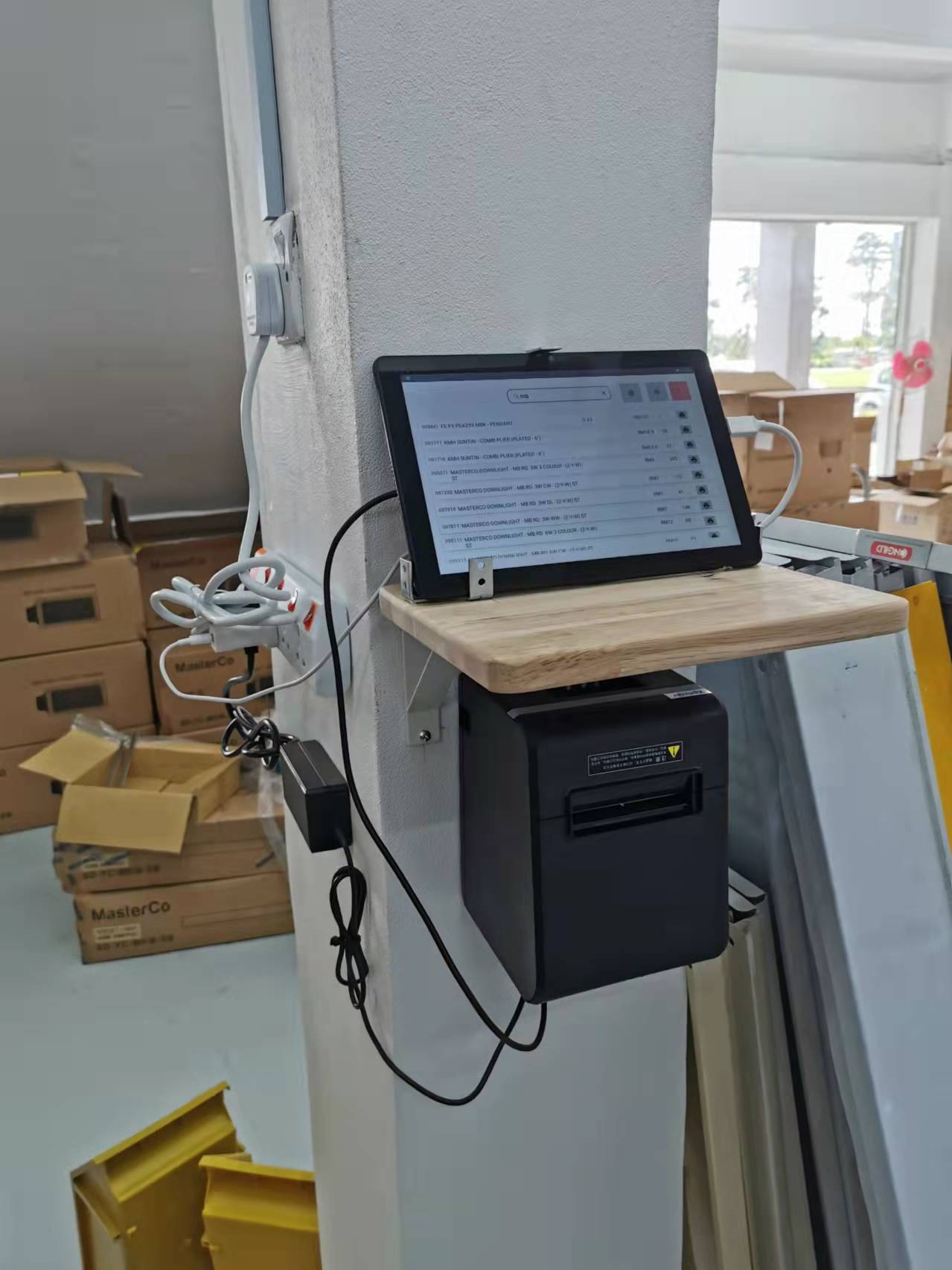
Huawei MatePad T10S – The price was actually pretty good for the specs they provide. I believe this has something to do with it not having Google apps installed.
XPrinter XP-N160II Bluetooth Thermal Printer – Their SDK is pretty much self-exploratory with no documentation provided. The main reason I chose this was the price. Bluetooth was also a wrong decision on my end, latency is tolerable definitely noticeable. If more sets are to be installed in the future I would go for WiFi instead of Bluetooth.
Tablet Wall Mount – I was genuinely surprised by the lack of solutions available for this. I had to order this online all the way from China as there were no shops selling this in Malaysia. The delivery takes almost 1 month to reach, and I was eager to test out the app, so I resorted to some DIY and came up with this temporary contraption while waiting for the mount to arrive.
The App
The functionalities required by the app was very simple. They only need to be able to search for products by name or code, and see the info of the searched product (remaining quantity, price, location in store). It also needs to be able to print out the info of each item separately or many items in bulk.
The main focus of this project was to increase the efficiency of the staff by simplifying their work. Here’s a comparison attached below to show the before & after.
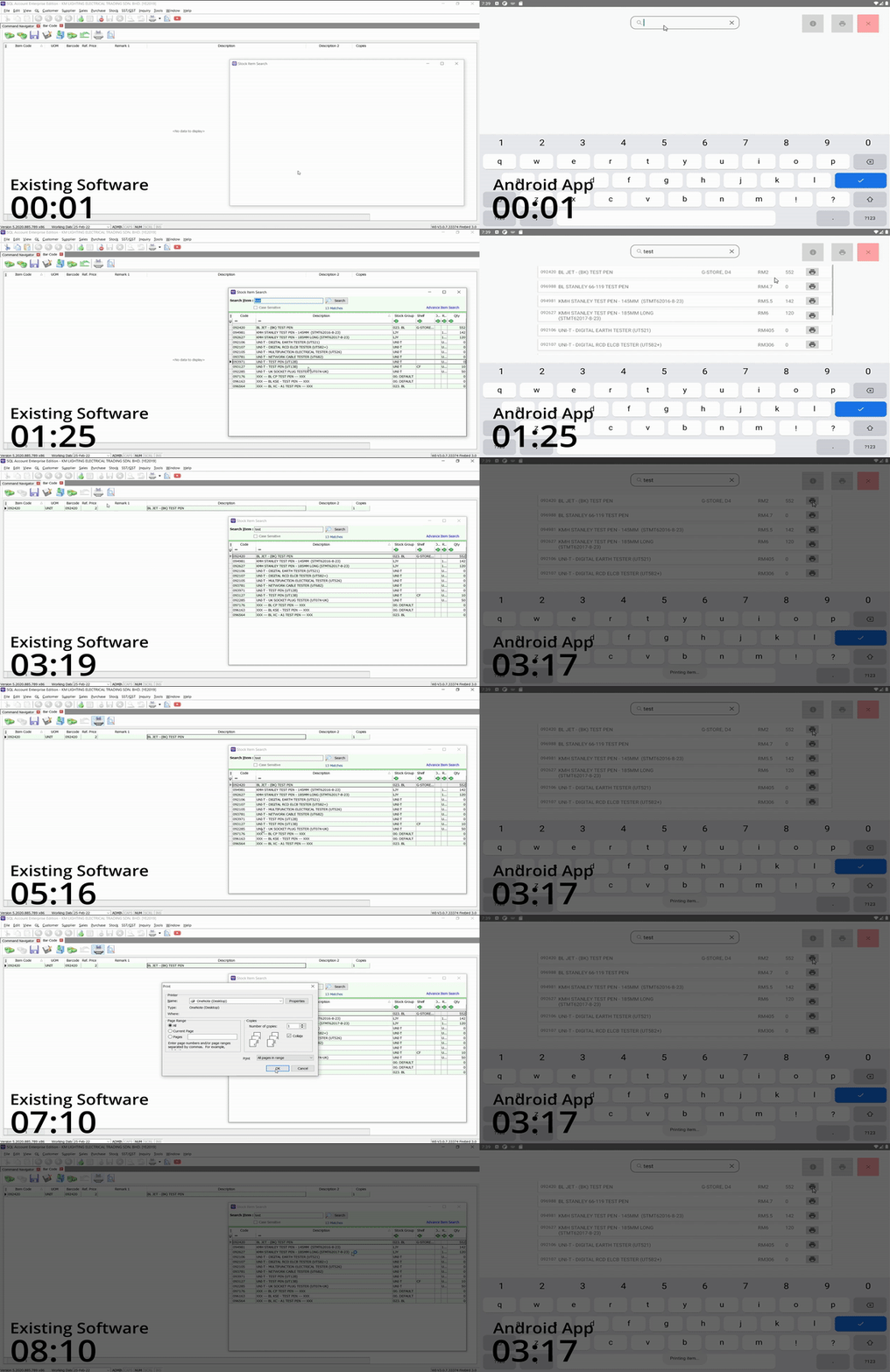
Depending on how fast the person can type and navigate both UI, using the tablet saves around 5 seconds for each item searched. Even though 5 seconds may not seem like a lot of time saved, with 15 employees searching 50 items per day that’s more than 1 hour of manpower saved each day for the company!
DISCLAIMER. The app is only used internally by the staff. Due to this reason, there was no need to make things pretty so I didn’t partner up with any designers in this project, which is why the UI look horrible. Only the UX was important in this case which actually took multiple tweaking after testing and receiving feedback.